
This newsletter is mostly on a single subject and that is tech ecosystems. Every now and then I have a thought and then dive way too deeply into that thought. That is the case here. I was considering the apps I use and started to, for some unknown reason, build out each apps ecosystem, and the next thing you know, here is the January newsletter which is a feel dive into the apps on my iPad.
Enjoy!
There are a number of different ecosystems in tech these days. The term ecosystem in tech has come to mean the applications of a certain provider that only exist in that providers operating system. Although this is not exactly true because often some providers will port their apps to other operating systems. For instance, the big ecosystems are:
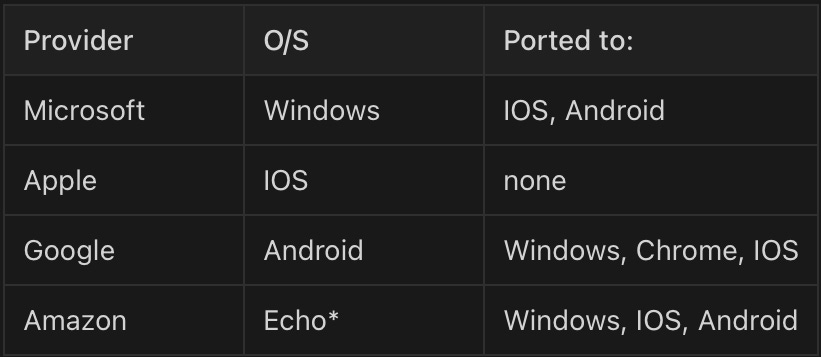
*The Echo devices, I believe use Google’s Android operating system, but do not allow the installation of apps onto these devices.
I am using IOS as a blanket term for all Apple operating systems (OSX, iOS, iPadOS etc.)
The odd one out here is Apple who do not port their apps (except for their Browser, Safari) to other operating systems. This means that if you, use for instance Microsoft applications on a Windows machine but then buy an iPad, you can still use these apps as they have been ported to iPadOS. However using Apple apps and then moving to Microsoft is problematic because Apple apps are only available on Apple OS’s. Therefore it makes sense to choose an application ecosystem that is operating systems agnostic.
Something else to consider though is how those apps work with the host operating system. In the case of Apple apps, they work exceedingly well with their OS which is perhaps why Apple do not port them.
Because these providers offer suites do apps for productivity, entertainment etc, they compete against each other, offering very similar applications. This is how they stack up against each other. Note that I have not included Microsoft in this table as I saw no need to.
Blue is productivity
Red is communications
Green is entertainment
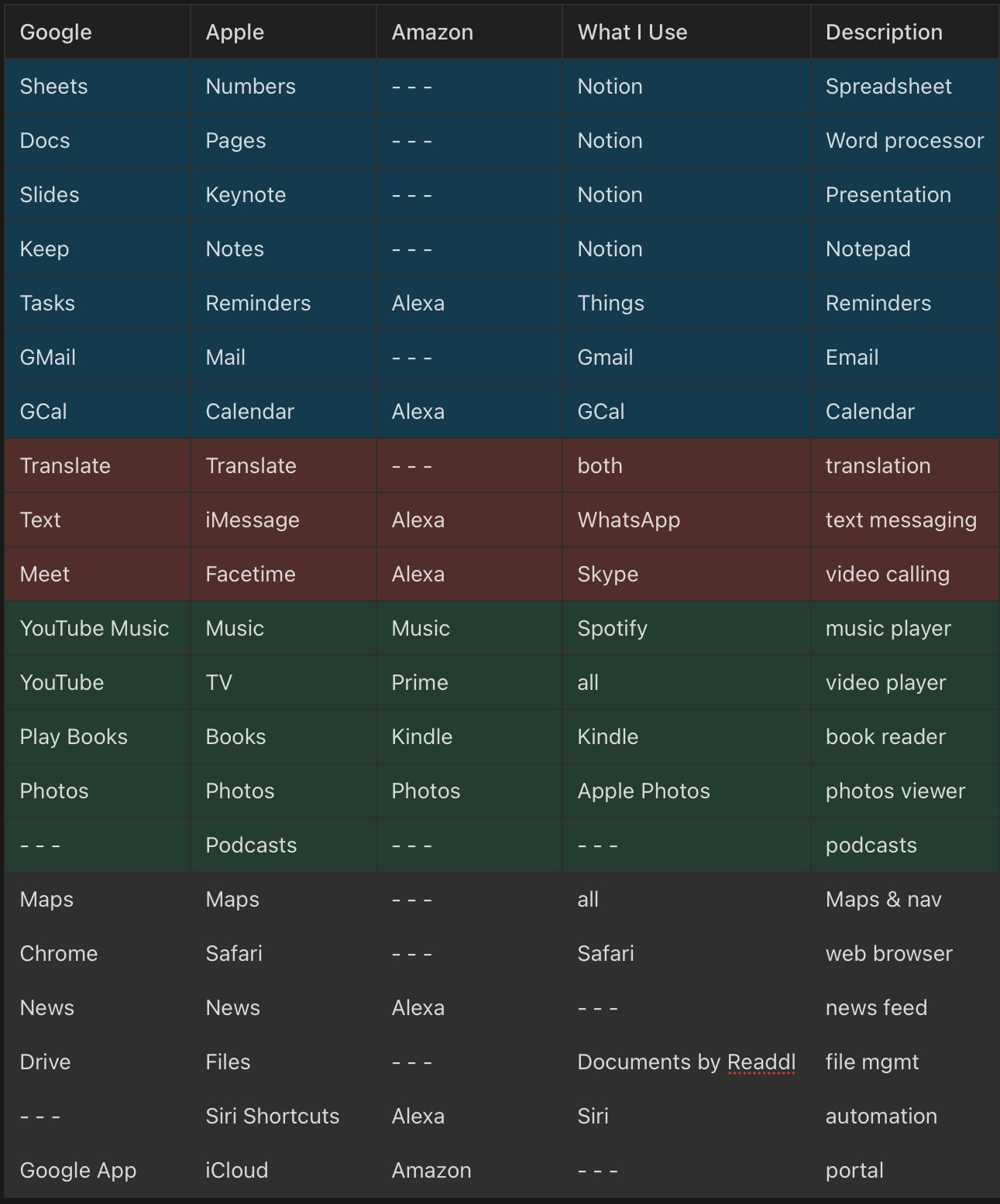
Acrobat, Box and Docusign are also used for documents, but are ecosystems agnostic, as is Slack and Signal to group chats and IM.
I know there are other apps out there in these ecosystems especially in the Google ecosystem, but I just have no use for them and so don’t include them. I also included a column that shows what I actually use. Most of the apps I use are ecosystem agnostic. This is a deliberate strategy on my part as I don’t like to get tied to any particular OS.
Productivity Apps
I don’t have a lot of use in my personal life for spreadsheets, a word processor and presentation software, as most of my writing is in blogs and anything else is mostly just notes, so I can do almost everything I need and a whole lot more with just Notion.
I do use Things for reminders although. Apple reminders is almost as capable, but my reminders are somewhat sophisticated in that I have recurring reminders and reminder groups etc. Things just works for me, and is OS agnostic so if I ever move from Apple, I don’t have to rebuild all my carefully crafted reminders.
Communication Apps
I like to study language so I use both translate apps, but for actual communications, I use iMessage occasionally and WhatsApp a fair bit with Skype for video calls, which don’t happen that often. I also have Signal which gets very occasional use, and Slack, which gets used as a sort of teams replacement for home and close friends. Most likely sometime this year I will shut Slack down as I think the other apps make it redundant.
Entertainment Apps
Over the years I have used many of the entertainment apps from many ecosystems, but have finally settled on a mix of apps from different ecosystems. The only apps I have not used are Apple apps due to them not being ported to other OS’s.
Other Apps
As I am currently running Apple hardware, specifically and iPad Pro, I use safari because it integrates well with keychain. The way Safari works with Keychain is something other providers should study because it is seamless and easy. This is the only case of me using apps that cannot be ported to other OS’s, and if I ever move away from Apple hardware, I will be sad to leave this set up.
I think it is fair to say that for productivity apps, there is little difference across the ecosystems. Due to corporate influence many people use Word, Excel and PowerPoint just because that is what they are used to but there is nothing wrong with Apple and Google’s offerings here and the best part is they are free. There are other offerings out there but that is outside the scope of this discussion. Entertainment is where the apps widely differ and this is why I use a mix of apps from different providers. I wish I could as an Apple user, use Apple music but the truth is, it is just terrible compared to Spotify. The same is true of the various books apps vs the Kindle app.
Conclusion
Buying into an ecosystem is not a bad thing to do, but it is worth remembering that if you do jump ship sometime in the future, depending on the ecosystem, you may have to transfer a lot of data from one app to another. This is especially true for Apple users as Apple does not port its apps to other operating systems. I have found this to be a major pain in the ass from personal experience, when I realized this would be the case and decided to move my data prior to me getting too deep into Apple.
Of course if you are committed to a single ecosystem, then not to worry but I am not that committed. I like to have the ability to vote with my feet. But there is also no reason why you can’t mix and match across all the ecosystems which is, I suspect, what most people do.
I Also Made Some Art
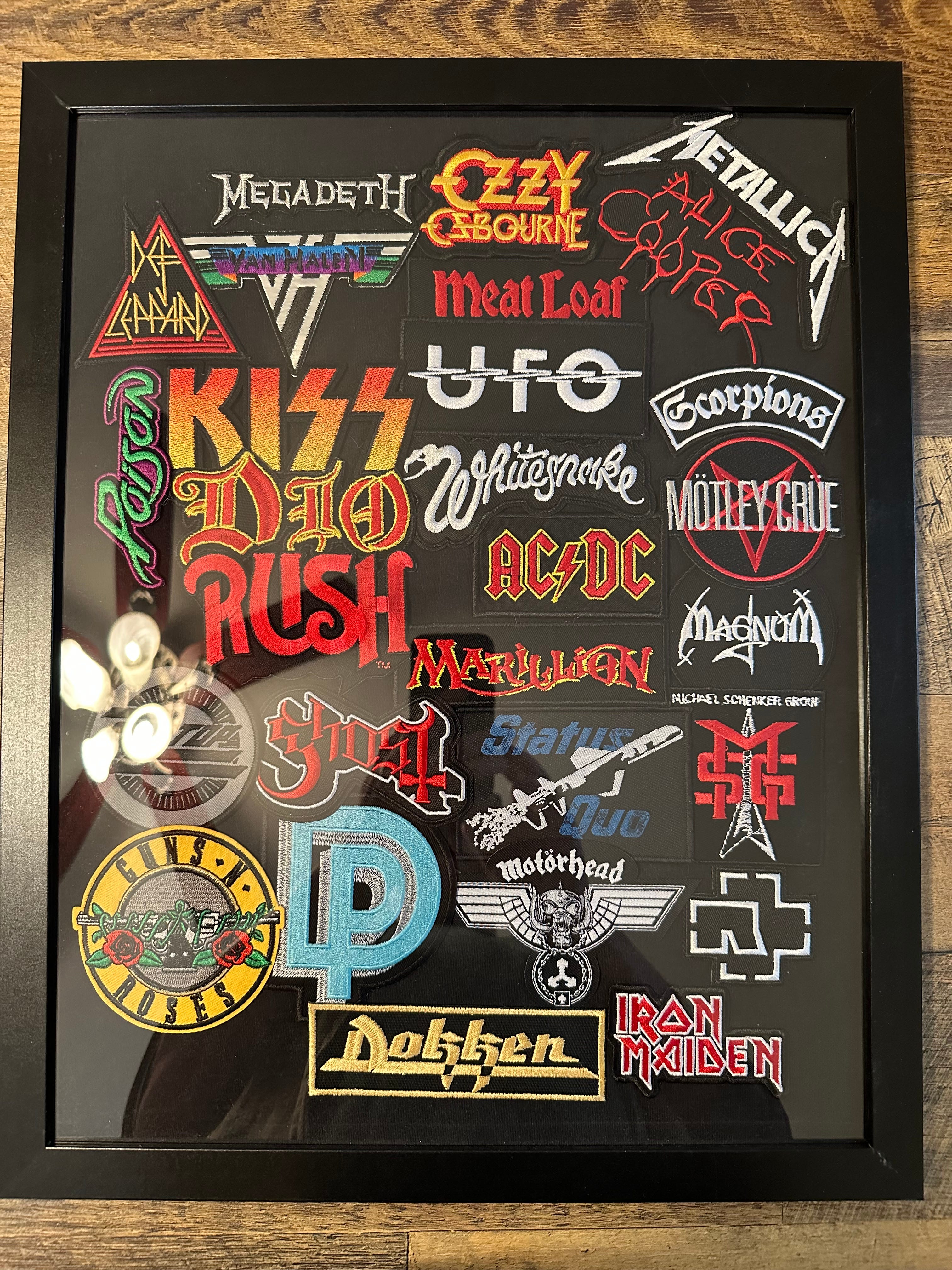
This is a piece of black cotton onto which I have glued patches from a number of major bands that I have seen over the past 40 years.
And here is one of the tickets.
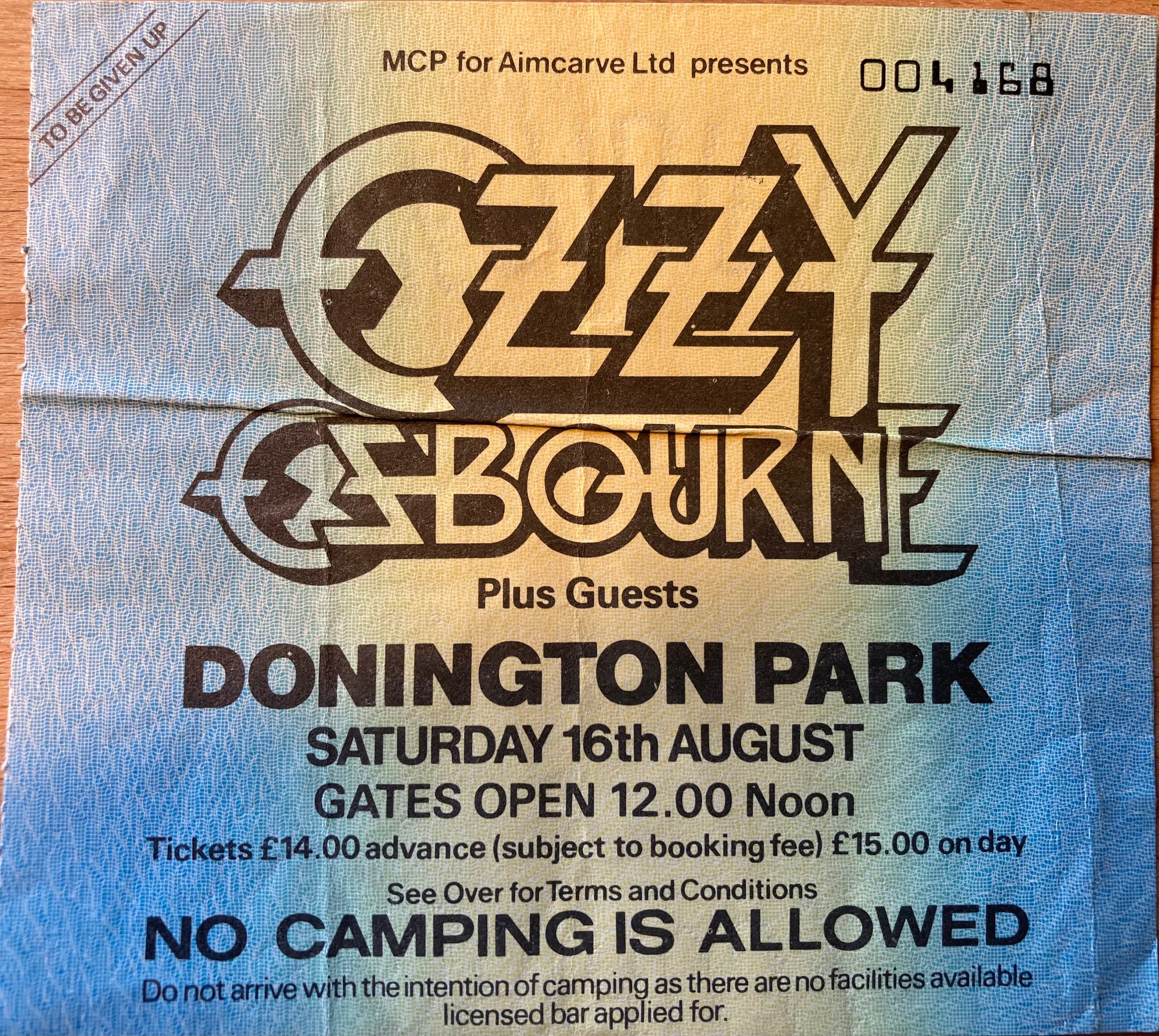
I’ve seen a few more bands than the ones pictured here but some of those bands, we can’t get patches for anymore.